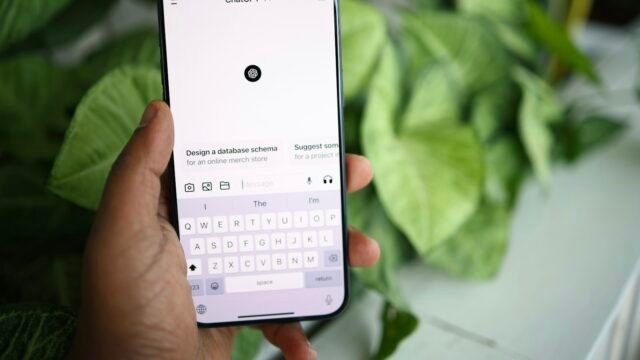
“Vibe coding” describes building software by telling an AI model what you want in plain language and letting it write the code, rather than writing the code yourself. The term was coined by Andrej Karpathy, a co-founder of OpenAI and former head of AI at Tesla, in a post in February 2025, and it spread quickly enough that Collins Dictionary named it word of the year in November. For people with no programming background, it has become the most common on-ramp into making apps and websites.
The approach works best when treated as a progression rather than a single trick. The workflow below breaks it into five stages, with the tools that fit each one. The tools named here are all real, widely used products; the specific plans and prices change often, so check the vendor’s site before paying for anything.
Stage one: get the idea clear
Before any code exists, the task is to define what the product should do. A general-purpose chatbot is the right tool for this. ChatGPT from OpenAI and Claude from Anthropic both work well for turning a vague wish into a short description of features, screens and users. Ask the model to propose a few simple app ideas, pick one, and then ask it to challenge the idea: who would use it, what is the smallest version that would still be useful, and what can be left out.
The free tiers of both services are enough at this stage. A written one-paragraph description of the product, produced with the chatbot’s help, is the deliverable. Everything later refers back to it.
Stage two: first code, in the browser
With a clear idea, the next step is to see code run. Give the chatbot a simple instruction such as “write an HTML page that displays Hello World with a blue button,” and paste the result into an online editor. Replit and CodePen are the two most common choices: both run in a browser, require no installation, and show the result immediately. Both offer free plans suitable for small experiments.
The point of this stage is not the output but the loop: describe, generate, run, look. Beginners learn quickly that the model’s first attempt is rarely the final one, and that small, specific requests produce better results than large, vague ones.
Stage three: fixing what breaks
Real learning begins when code does not do what you expected. Paste the broken code and the error message back into the chatbot and describe the problem in ordinary words: “the button does not change color when clicked” or “this function returns nothing.” The model will usually explain the cause and propose a fix, which is also how most beginners pick up programming concepts without a formal course.
This is where a dedicated AI code editor starts to pay off. Cursor, a code editor built around AI assistance, reads your whole project, flags problems and applies suggested fixes directly in the file rather than requiring copy and paste. It has a free tier and paid plans for heavier use.
Stage four: systems, not scripts
Once a single page works, the next challenge is connecting parts: a front end that users see, a server that handles requests, and a database that stores information. The job shifts from asking for code to designing how pieces fit together and asking the AI to build each piece.
GitHub Copilot, Microsoft’s AI assistant that runs inside editors such as Visual Studio Code, suggests code as you type and can explain or modify sections based on the surrounding project. Cursor’s paid plan covers the same ground with a stronger focus on multi-file edits and project-wide context. At this stage it is worth learning the basics of version control with Git, because AI-generated changes can be large and you will want the ability to undo them.
Stage five: orchestrating the project
At the final stage the AI is less a code generator and more a collaborator, and your role is closer to a product manager’s. You define high-level behavior, judge the user experience, and direct the model to build and refine prototypes quickly. Paid plans from the major providers, including ChatGPT’s team tiers, Claude’s paid plans, GitHub Copilot and Cursor’s professional tier, offer larger context windows and more capable models, which matter when the project grows beyond a handful of files.
Limits worth knowing
Vibe coding has well-documented weaknesses. AI-generated code can contain security flaws, especially around authentication, data storage and input handling, and a beginner may not recognize them. Projects built entirely by prompting are also harder to maintain once they grow, because nobody on the team fully understands how they work. Karpathy himself described the practice as suitable for throwaway weekend projects rather than production systems.
The practical response is to use the five stages as a learning path as well as a building path. Each round of fixing and refining teaches something about how software works, and by stage four most people are reading code even if they are not writing it from scratch. That knowledge is what turns vibe coding from a party trick into a durable skill.